
Connect your Littleton website with the customers you want to reach
Guardian Solutions helps Littleton businesses improve organic visibility and turn a clearer website into a better path to inquiry. We work with service businesses, stores and organizations, starting with the offers you want to grow and the customers who need them. Our Colorado Springs team collaborates remotely over Zoom.
SEO and marketing built around your offer
A service business may need pages that answer a customer’s questions before a call. A retailer may need clearer product categories and availability information. A business serving both audiences needs distinct paths, not one page trying to do every job. We assess the content and technical foundations together before recommending priorities.
- Reach relevant search visitors: connect customer language with useful pages, technical SEO and internal links.
- Help visitors make a decision: explain benefits, show genuine project or client evidence and make contact options easy to use.
- Improve what you already own: address weak content, confusing navigation and mobile obstacles before assuming a rebuild is necessary.
- Keep the work accountable: separate recurring SEO, website projects and custom integrations in the proposal, with reporting tied to the agreed goals.
Our first 90 days of monthly SEO guide explains how to organize continuing work. Review our website portfolio and SEO services, then discuss your Littleton marketing priorities. Bring your current website and the service or product you want more customers to find.
Optional website use case: a product catalog that matches how you sell
For businesses selling products, the example below shows how catalog choices affect website scope. Service businesses can apply the same planning discipline to their service pages without building an online store.
Before commissioning an ecommerce website for your Littleton business, count the items a customer can actually buy. Two product pages might represent two simple items or two families with different sizes, finishes, prices and stock. A useful catalog brief identifies those sellable choices and the data behind them before a supplier prices the entry or import work.
Discuss your product catalog and website requirements with Guardian. We provide website design and support from Colorado Springs, with remote consultations over Zoom. Bring a few representative products and the choices you need to offer; the platform, catalog work and any inventory connection need assessment and an agreed scope.
A Littleton product page shows why the count needs a definition
Littleton-based iWebDesigning’s ecommerce offer includes product catalog management and inventory/order management. Those are relevant capabilities to ask about, but the description does not establish an included number of products or how variations would be counted in your quote.
A local merchant provides a concrete example of choices within one page. St. Nick’s water-accessory page lists six river and lake choices with dimensions, displays multiple SKU identifiers, and says the accessories are made in Littleton. One page therefore presents several distinguishable items. The public description does not reveal how their stock is stored or updated.
These published examples were reviewed November 11, 2026. They are not presented as Guardian clients or a provider ranking, and no option selection, stock system or checkout was tested. For your own store, ask the supplier to define its unit of work against your actual item list rather than assume that one page equals one catalog record.
WooCommerce’s variable-product documentation illustrates the distinction: variations can have their own price, stock and image, with variation-specific shipping fields. That is one product’s data model, not a claim about the platform used by St. Nick’s or a commitment to build your Guardian project on WooCommerce.
Two planter families, eleven sellable variants
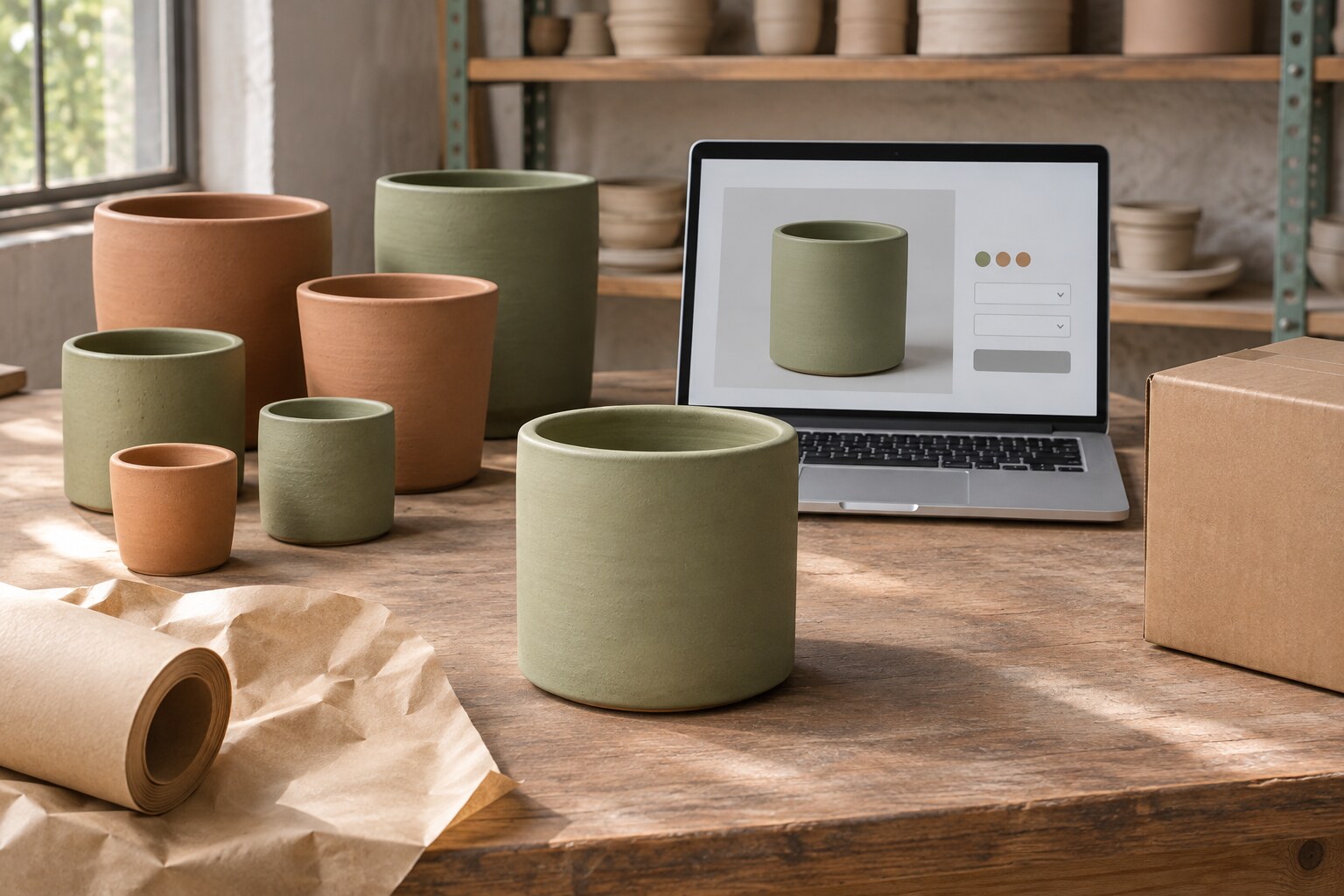
Imagine a Littleton maker preparing its first online planter catalog. It makes Cylinder and Tapered styles, each in small, medium and large sizes, with Sage and Terracotta finishes. This business and every count, identifier, price and rule below are invented for the exercise. They do not describe a local merchant or completed Guardian work.
Two styles multiplied by three sizes and two finishes gives 12 possible combinations. The maker does not produce a large Tapered planter in Sage. Remove that combination: the catalog contains 11 valid variants across two product families, six Cylinder choices and five Tapered choices.
One of the eleven, the medium Cylinder in Terracotta, is temporarily out of stock. It remains a valid catalog item. For this example, the owner chooses to show it as unavailable and block ordering until stock returns, with no backorders. Ten variants are currently orderable; eleven belong in the agreed catalog. Confusing those totals could leave a real item out of the import or offer a combination the maker cannot supply.
Give each sellable choice a stable business identifier, often called a SKU. The website may also assign its own internal ID; have the supplier show how the two correspond. A name such as “medium planter” is insufficient when both styles and finishes use that size. Check the valid list before using a tool that generates every possible combination.
Prepare a few complete records before sending the whole range
These three planning entries distinguish a ready-to-sell variant, a temporary availability state and a combination that must not be sold. They are a brief, not a platform-specific import file. The owner must verify real product facts; the developer should not fill missing fields with guesses.
Sellable now: Cylinder / Medium / Sage
- Business identifier
- CY-M-SG, assigned to this exact style, size and finish.
- Price and availability
- $42 before any applicable tax or shipping, with four units available in the fictional owner’s inventory sheet at the agreed starting point. No backorders.
- Image
- cylinder-medium-sage.jpg, approved to show this choice. The owner confirms the depicted shape and finish; a Terracotta photograph would need replacement or a clear explanation.
- Fulfillment facts
- Example item: 6 inches high and 6 inches in diameter. Example packed parcel: 8 × 8 × 8 inches and 3 pounds. Keep item dimensions and packed measurements separately labeled; ask the shipping specialist which fields the selected system needs.
- Source and responsibility
- The maker supplies the approved product sheet and photographs. The inventory owner verifies the starting quantity. The provider maps those facts into the agreed catalog fields.
Valid but unavailable: Cylinder / Medium / Terracotta
- Business identifier
- CY-M-TC. Retain this item and its own approved image and price data.
- Availability instruction
- Zero available at the example’s starting point; show unavailable and prevent an order. A later stock update should restore ordering for this identifier, rather than create a duplicate item.
- Decision still required for a real store
- Name the source of future stock changes, the update method and the person responsible. A one-time sheet import does not establish an ongoing connection.
Not offered: Tapered / Large / Sage
- Catalog instruction
- No sellable SKU or price is supplied because this combination does not exist in the maker’s range. Do not import it as an available item or create a backorder option.
- Customer experience
- Agree how the chosen system prevents this selection and explains the available alternatives. It should not look like a real product merely waiting to be restocked.
The owner also offers a gift message on a paper enclosure. In this exercise, that message is an order instruction with no extra charge, not another stocked planter variant. The same CY-M-SG item can be ordered with different messages without multiplying the SKU list. Engraving, different packaging or a paid customization could require other fields and production rules; define those separately if you actually offer them.
For the remaining variants, supply the same agreed fields, including any genuine price or fulfillment differences. Mark an unknown weight, missing photograph or unconfirmed price as an open item. Ask who will obtain it and what that preparation costs before treating the catalog as ready for import.
Follow the chosen variant into the recorded test order
Ask the supplier to configure a small sample in an authorized, protected test environment before importing the full range. Use harmless fictional customer details and the platform’s supported payment-testing method. Keep live charges, customer emails, warehouse dispatch and outside stock updates disabled or isolated as appropriate. Agree any step that cannot be safely represented before testing it.
The following are proposed checks, not results we have observed:
- Normal choice: select Cylinder, Medium and Sage. Check the matching image and $42 item price, then confirm that the test order records CY-M-SG and the selected attributes. Ask staff to identify what they would pack from that record without relying on the product-page screenshot.
- Impossible combination: try Tapered, Large and Sage through the supported test interface. It must not become a purchasable item. Record how the page prevents or explains that selection.
- Temporary unavailability: select the medium Terracotta Cylinder. Under this example’s rule, the page should communicate unavailability and prevent the order. Then have the authorized tester update sample stock and verify that the same CY-M-TC item becomes orderable.
- Personalized order: add a harmless gift message to CY-M-SG. Confirm that the order retains the same variant identifier and the message appears in the record the packing team uses. The gift message must not overwrite the size or finish.
For each check, keep the source-sheet version, selected attributes, expected identifier, observed result and correction owner. If the storefront shows Sage but the recorded order identifies Terracotta, leave that case unresolved even when checkout reports success. Correct the mapping and repeat the affected selection before approving the broader import.
Also agree how the accepted sample becomes the import pattern. Check the final counts of families and valid variants, review missing-field reports, and sample each style and any unusual price or shipping rule after import. This checks catalog preparation; it does not certify payment security, tax treatment or every store function.
Ask for a quote against the catalog you can supply
A supplier can estimate more usefully from two families, eleven valid variants, four proposed test cases and a list of missing facts than from “two products.” Ask how its quote counts simple products, families, variations, image preparation and customization fields. No universal pricing unit or included catalog allowance is established by this guide.
Separate the one-time data cleanup, sample configuration, import and checks from future price updates and stock maintenance. If inventory must follow another system, name that source and request a separate explanation of synchronization, failure reporting and staff responsibility. An import file can establish starting values without keeping them current after a sale elsewhere.
Guardian’s website design scope identifies pages, content responsibilities, integrations, review rounds and launch checks. That page also presents Rod Mench Studios’ historical account of using its Guardian-built website to show products and completed and in-progress work to a selection committee. Use that example to discuss product presentation, then ask for evidence appropriate to the catalog and order functions you want to commission. It does not establish an ecommerce implementation for that client.
For an existing WordPress store, our WordPress support guidance describes WooCommerce and other specialist workflows as requiring review of the installation, integrations and business process. Confirm the catalog-entry work, import tooling and inventory connection in the proposal rather than assuming routine maintenance includes them. If you are still choosing between adding a store beside an existing site and replacing it, the Fort Collins guide to existing websites and new stores addresses that separate architecture decision.
Send Guardian your public website and a small catalog example, with the platform if known and the decisions still open. Keep customer records, payment information and passwords out of the initial request. The free website and SEO audit with a 30-minute consultation can review the public starting point with no purchase obligation. Private inventory investigation, implementation and ongoing maintenance need their own agreed scope.
Questions about product variants and ecommerce catalog work
Does one product page count as one catalog item in a website quote?
Ask the supplier to define its unit of work. A product family may occupy one page while containing several separately identified choices with their own data. In the planter example, two families require eleven valid variant records. Have the quote state how setup, variations, images and missing-data preparation are counted. Do not assume a published product allowance uses the same definition as another supplier’s allowance.
Which product options need a separate SKU or variant record?
Start with what your business needs to identify, price, stock and fulfill separately. Size and finish distinguish the planters in this example, so each valid combination gets a stable identifier. Descriptive information does not always create another sellable item. Ask the provider to map the actual range into the chosen platform’s model, and confirm how your business identifiers relate to its internal IDs before generating combinations in bulk.
How should an impossible combination differ from an out-of-stock variant?
The impossible combination is outside the range; the out-of-stock variant is a real item with temporary unavailability. In the example, large Tapered Sage is never offered, while CY-M-TC should return when stock is replenished. Agree what shoppers see and whether ordering is blocked or backorders are allowed for a real unavailable item. Do not apply a temporary stock message to something the business does not make.
Does personalization multiply the number of stocked products?
Not automatically. A gift message may be an instruction attached to the same item, while a stocked custom design could need its own identifier. Engraving or made-to-order work may also change price, lead time and approval requirements without representing finished stock on a shelf. Define the permitted input, any charge and the production record needed. Verify that the chosen variant and the customer’s instruction both reach the responsible staff.
What product data should we prepare before catalog entry starts?
Provide the valid family and variant list, stable identifiers, attribute names, approved prices, availability rules, matching images and relevant fulfillment facts. Name who owns each source and identify missing fields. Distinguish product dimensions from packed measurements, and have the provider explain the required import format. A small complete sample is more useful than a large sheet whose blank cells the importer must guess how to interpret.
Can every size and color use the same product photograph?
Only when the image and accompanying explanation accurately represent the selected choice. A shared shape image may be useful, but showing Terracotta after a buyer selects Sage can create uncertainty. Decide which images change with the selection and which illustrate the family as a whole. Review the selected image, label and order details together. Ask the owner to approve any image that is illustrative rather than an exact depiction.
Where should the website get its stock quantities?
Identify the authoritative inventory source and how changes reach the website. It could be a staff-maintained sheet or another business system, but the starting import does not establish live synchronization. Agree update timing, responsibility, and what happens if the connection fails or two channels sell the same item. Ask a qualified provider to scope the actual connection rather than promising accurate availability from a product-page review.
Do shipping weights and dimensions need to vary by product option?
Record real differences that affect fulfillment and ask how the chosen system uses them. A large planter may need a different parcel from a small one, but its photograph cannot supply the measurements. WooCommerce documents variation-specific weight, dimensions and shipping-class fields; another platform may handle these differently. Confirm which values describe the item and which describe its packed shipment, then test the relevant shipping rule with approved sample data.
What sample should we approve before importing the entire catalog?
Choose a normal variant, a combination you never sell, a temporarily unavailable item and a personalized order if offered. Use an authorized test environment with live effects controlled. Check selection, image and price, then the identifier and instructions in the recorded test order. Keep the expected and observed results. A sample that looks correct on the storefront still needs correction if staff receive the wrong variant.
How should later price changes and discontinued variants be maintained?
Assign who approves each change, updates the source and checks the website afterward. For a price change, identify the affected variants and effective date rather than overwriting every item in the family. Distinguish permanent retirement from temporary unavailability and agree the customer-facing treatment. Confirm how existing order records remain understandable when catalog details change. Request an ongoing maintenance scope if the supplier, rather than your staff, will perform these updates.