
Table of Contents
Welcome to your guide on web design fundamentals. This Table of Contents will help you quickly find the topics you need.
| Section Title | Description |
|---|---|
| Introduction | Start with a relatable web design scenario. |
| What Are Web Design Fundamentals in 2026? | Explore key changes and core elements. |
| Why Is Understanding Website Purpose Essential? | Learn why purpose drives design decisions. |
| How Does Visual Design Impact User Experience? | Discover the power of visuals in UX. |
| What Are the Core Principles of Effective Web Design? | Understand balance, alignment, and contrast. |
| How Do You Structure, Layout, and Organize Content? | Get tips for organizing site content. |
| What Role Does Usability and Accessibility Play? | See why usability and accessibility matter. |
| Summary | Recap the essentials for 2026 success. |
With this roadmap, you can easily navigate all aspects of web design fundamentals throughout this handbook.
Ever landed on a website and felt instantly at home? That’s no accident. The secret lies in web design fundamentals, which shape how you feel and build trust right from the start.
When you master web design fundamentals, you give your business a real edge in 2026. A great site can turn visitors into loyal customers. If you want to see what this looks like in action, check out our Website design services overview.
In this guide, you'll discover actionable tips, real examples, and easy steps. We’ll cover website purpose, visual design, structure, usability, and the core principles you need to succeed.

What Are Web Design Fundamentals in 2026?
Ever wondered why some sites just feel right the moment you land on them? That comfort comes from strong web design fundamentals. In 2026, these basics have evolved, but their purpose remains the same: to make websites clear, attractive, and easy to use.

How Has Web Design Evolved?
Web design has come a long way in the last decade. In 2016, most sites were static and simple. By 2026, websites are dynamic, interactive, and built for all devices. Mobile-first and responsive design are now the standard, not the exception.
AI-powered tools handle tasks like layout suggestions or image editing, making it easier to create unique experiences. Users expect fast loading times and personalized content. For example, compare a basic 2016 site to a 2026 homepage that greets you by name and adapts to your interests. You can see more about emerging trends in Web Design Trends for 2026.
What Are the Key Elements of Modern Web Design?
Modern web design fundamentals focus on a few core elements. These include layout, color, typography, imagery, and navigation. Each one must match your brand style to build trust.
It is important to blend design with SEO and analytics from the start. For example, an e-commerce homepage needs clear product images, bold calls to action, and a simple menu. Consistency across these elements makes your site memorable.
Here is a quick table to summarize:
| Element | Purpose |
|---|---|
| Layout | Guides user flow |
| Color | Sets mood, highlights actions |
| Typography | Improves readability |
| Imagery | Builds brand, adds interest |
| Navigation | Helps users get around |
Why Do Fundamentals Matter in 2026?
You might ask, why focus on web design fundamentals when there are so many new tools? The answer is simple. Fundamentals are the building blocks of every great website.
Creative designs rely on strong basics. Without them, even the fanciest site can feel confusing. Good fundamentals boost user trust and help turn visitors into customers. If navigation is poor, people leave quickly, raising your bounce rate. Competitors know this: good design builds trust and drives action.
What Skills Should Every Designer Have?
To master web design fundamentals in 2026, you need a mix of visual and technical skills. Visual literacy helps you spot what looks right. UX thinking keeps users happy and engaged.
You also need to adapt to new tools and trends. Collaboration is key. Designers must work with writers, developers, and marketers. A modern toolkit includes design software, coding basics, and the ability to test and tweak your work. Stay flexible, and you will keep up with the changing landscape of web design fundamentals.
Why Is Understanding Website Purpose Essential?
When you think about web design fundamentals, understanding your website's purpose is the first step. Every great site starts with a clear goal. Without it, even the best visuals or features can fall flat. Let’s break down why purpose matters so much in web design.

How Do You Define a Website’s Goal?
Every website needs a mission. Before you start designing, ask yourself: Who is this site for? What do you want visitors to do? This is where web design fundamentals come into play.
For example, an e-commerce site wants people to buy products. A blog site focuses on readability and sharing stories. A portfolio shows off skills or past work. Each type has a unique goal. Looking at real website portfolio examples can help you see how clear goals shape design choices.
How Does Purpose Shape Design Choices?
Once you know your website’s purpose, your design decisions become much easier. Web design fundamentals guide you to choose layouts, navigation, and calls to action that match your main goal.
For instance, a service business needs contact forms front and center. An online store needs clear product images and easy checkout. As competitors say, every design choice supports the site’s main goal. If your site is confusing, people leave fast.
What Are Common Website Types and Their Needs?
Websites come in many flavors, and each has specific needs. Here’s a quick comparison:
| Website Type | Main Goal | Key Design Need |
|---|---|---|
| E-commerce | Sell products | Strong product visuals |
| Portfolio | Show work | Clean galleries |
| Blog | Share info | Readable content layout |
| News/Media | Deliver updates | Flexible content sections |
| SaaS/App | User engagement | Simple onboarding |
Web design fundamentals help you match these needs to the right design elements. For example, a news site needs room for many stories, while a portfolio site should highlight visuals.
How Can You Align Content and Functionality?
Now, let’s talk about content. Content-first design is a key web design fundamentals approach. Always start with real text and images, not placeholders. This makes your site feel authentic and helps you make better design decisions.
For example, use actual product photos in your mockups, not stock images. Real content guides the design, ensuring every feature supports your website’s purpose. The result is a site that feels natural and works for your visitors.
How Does Visual Design Impact User Experience?
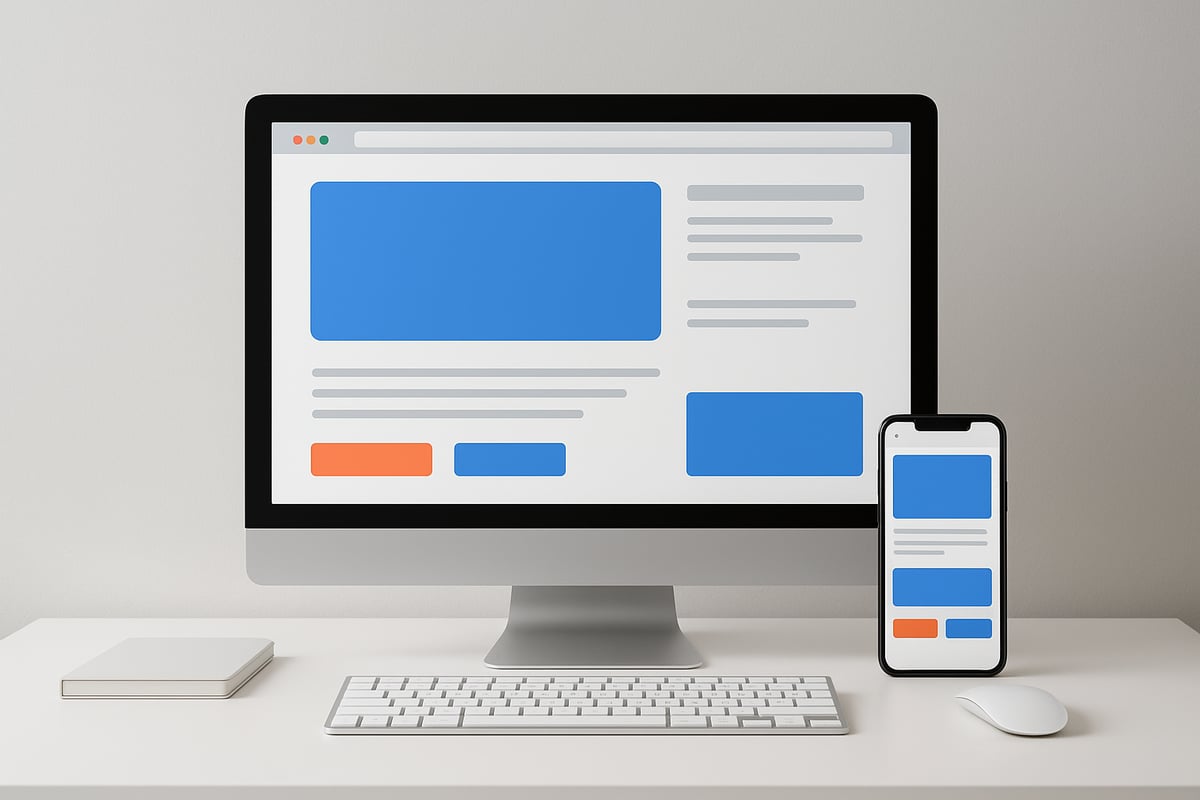
Visual design is at the heart of web design fundamentals. Have you ever visited a website and felt an instant connection? That feeling comes from the way images, colors, and type work together. Great visual design is more than just decoration. It shapes how users feel, what they notice, and how easily they find what they need.
Why Is Imagery So Important?
Imagery is a powerful part of web design fundamentals. The right photo or graphic can set the mood and build trust in seconds. When you see a luxury brand using custom photography, it feels exclusive and special. Images are not just for filling space. They help tell your story and make your brand memorable.
Strong visuals create an emotional bond with visitors. They guide users to key areas and make information easier to understand. For example, product photos show what you offer and make people want to learn more. Choosing the right imagery helps your site stand out.
How Should You Choose and Use Images?
Picking the best images is a must in web design fundamentals. Always use high-resolution photos that match your brand. Blurry or off-brand pictures can hurt your credibility. Make sure each image supports your message and fits your audience.
When placing images, think about balance and composition. Crop photos to focus on what matters. Place them near related text for clarity. For industrial clients, 3D product images can explain complex ideas quickly. Remember, optimized images also help your site load faster, which keeps visitors happy.
What Makes Typography Effective?
Typography is a key pillar of web design fundamentals. The fonts you use shape your site's personality. They also affect how easy it is to read your content. Choose fonts that fit your brand and are simple to read on all devices.
Use size, weight, and spacing to show what is most important. For example, a finance site might pick modern, solid fonts for trust. Headings should stand out, while body text stays clean. Good typography helps everyone, including those with vision challenges, enjoy your site.
How Do Color Choices Affect Perception?
Colors do more than brighten a page. They play a big role in web design fundamentals by setting the mood and guiding actions. Brands often stick to a few key colors to stay consistent. For calls to action, bold colors like red or green make buttons stand out.
Think about color psychology. Blue can feel calm and trustworthy, while orange adds energy. Make sure there is strong contrast between text and background so everyone can read easily. For more on accessible color choices, see Perceptually-Minimal Color Optimization for Web Accessibility.
How Do You Create Visual Hierarchy?
Visual hierarchy is essential in web design fundamentals. It helps users know where to look first. Use larger sizes, bright colors, or bold placement for important information. White space around elements gives the eye a place to rest and makes the design less crowded.
A good example is a hero section with a bold headline and a clear call to action button. Limit the number of "stars" on each page, so users are not overwhelmed. When you guide the eye step by step, people are more likely to stick around and explore.
What Are the Core Principles of Effective Web Design?
Understanding web design fundamentals is like learning the rules of a great game. These principles help you create websites that look good and work even better. Let’s break down each core principle so you can build trust and keep visitors happy.
What Is Balance and Why Does It Matter?
Balance is about making sure your design feels steady and comfortable. In web design fundamentals, you use symmetry or asymmetry to share visual weight across the page.
A symmetrical layout has items mirrored on both sides, like a butterfly’s wings. Asymmetrical balance uses different shapes or colors to create interest, but it still feels even. For example, a portfolio site might pair a large photo on one side with smaller text blocks on the other. This keeps things stable and pleasing to the eye.
How Does Alignment Create Professionalism?
Alignment means every element lines up with something else. In web design fundamentals, this creates a sense of order and professionalism.
When text, images, and buttons are neatly aligned, your site feels polished. Misalignment, like crooked headings or off-center menus, can make visitors lose trust. Standardizing text alignment across pages helps users know where to look and what to do. Clean alignment guides the eye and makes the site easier to use, which builds credibility for your brand.
Why Is Proximity Key to Clarity?
Proximity is about grouping related things together and separating unrelated ones. This is a huge part of web design fundamentals.
When you keep related items close, users can quickly find what they need. For example, a navigation menu groups similar pages, while contact info sits together in the footer. If items are too far apart, visitors may feel lost. Good proximity helps people process information faster and feel more at ease exploring your site.
How Does Repetition Build Brand Consistency?
Repetition means using the same colors, fonts, or shapes throughout your site. This principle in web design fundamentals helps reinforce your brand and makes your site feel familiar.
You might repeat button styles, heading fonts, or icon shapes on every page. This sets clear expectations for users. Want to see how trends are shaping repetition and consistency? Check out AI-Powered Personalization in Web Design for insights on how modern web design is evolving with these principles in mind.
What Role Does Contrast Play in Accessibility?
Contrast makes important things stand out. In web design fundamentals, strong contrast improves readability and draws attention to key actions.
For example, dark text on a light background is easy for most people to read. Bold colors for “Buy Now” buttons help them pop. Good contrast also supports users with vision challenges, making your site more accessible. Always check that your color choices help everyone see and use your content.
How Do You Structure, Layout, and Organize Content?
When you think about web design fundamentals, structure and layout are your foundation. Without a clear plan, even the best visuals fall flat. Great organization helps visitors find what they need fast. Let’s break down the essentials for building a website that feels organized, welcoming, and easy to use.
What Is the Best Approach to Page Layout?
Web design fundamentals start with a clear approach to page layout. Think of your homepage as a story told in sections. Each section should have a clear purpose.
Here’s a table showing common homepage sections:
| Section | Purpose |
|---|---|
| Hero | First impression |
| About | Explain who you are |
| Services | Show what you offer |
| Testimonials | Build trust |
| CTA | Guide next steps |
A service business might start with a bold hero, then move into simple, scannable sections. Always design with your user’s journey in mind.
How Does White Space Improve Readability?
White space is a key part of web design fundamentals. It’s the empty space between elements, giving your content room to breathe.
Modern minimalist trends use lots of white space. This makes sites easier to read and less stressful for your eyes. Try adding vertical space between sections and horizontal space around images or buttons.
Too little white space creates clutter. Too much can feel empty. Aim for balance so users stay focused and comfortable as they scroll.
Why Should You Use Content-First Design?
Content-first design is another core piece of web design fundamentals. Instead of starting with empty boxes, use real text and images from the start. This helps you see how your actual message fits the page.
Avoid using “lorem ipsum” or random stock photos in your wireframes. Real content reveals what’s most important and where things might get crowded. It also helps you spot gaps or missing information early.
When you build with real words and pictures, your design feels more genuine and effective.
How Can Navigation Enhance User Experience?
Navigation is the backbone of web design fundamentals. Menus should be visible, clear, and easy to use. Users should never wonder where to click next.
Here are some tips for better navigation:
- Use a sticky header so menus stay in view.
- Highlight the active page so users know where they are.
- Keep menu names simple and direct.
- Limit top-level items to seven or fewer.
Sticky headers and highlighted links help users move around with confidence. Good navigation reduces frustration and keeps people on your site longer.
Web Design Services by Guardian Solutions LLC
At Guardian Solutions LLC, our web design fundamentals focus on your business goals and user experience. We offer custom website design, responsive layouts, secure hosting, and ongoing support.
Our portfolio covers many industries and shows our data-driven approach. We help you measure results and improve performance. With over a decade of experience, we know how to organize content for growth and trust.
What Role Does Usability and Accessibility Play?
If you want your website to succeed, usability and accessibility must be at the heart of your web design fundamentals. When visitors land on your site, they expect everything to be easy to use and accessible to everyone. Let’s explore why these elements are essential and how they shape real-world web design.
Why Is Usability Non-Negotiable?
Usability is the backbone of web design fundamentals. If your site is hard to use, people will leave quickly. Easy navigation and clear actions help users find what they need and boost conversions.
Think about a simple e-commerce checkout. When every step is clear, shoppers are more likely to buy. On the other hand, confusing layouts can frustrate users and increase bounce rates. In today’s fast-paced world, no one has time to figure out a complicated site.
Focusing on usability means making sure visitors can move smoothly from page to page. It also means that calls to action, like “Buy Now” or “Contact Us,” are always easy to find. When you prioritize usability, you build trust and keep people coming back.
How Do You Design for All Users?
Designing for everyone is a must in modern web design fundamentals. Accessibility ensures your site works for people with all abilities, including those with disabilities.
Follow the latest standards like WCAG 2.2. Here are a few basics to keep in mind:
- Use alt text for all images
- Make sure your site is keyboard friendly
- Provide strong color contrast between text and background
Imagine someone using a screen reader to fill out your contact form. If you’ve added proper labels and instructions, they’ll complete the task with ease. By focusing on accessibility, you open your website to a wider audience and show that you care about every visitor.
What Are Common Usability Mistakes?
Even the best intentions can lead to mistakes that hurt your web design fundamentals. Here are some of the most common issues:
- Hidden or confusing menus
- Unclear or missing buttons
- Inconsistent layouts across pages
- Slow loading times
For example, if your mobile site hides important links behind a hard-to-find button, users may get frustrated and leave. Competitors often say that hidden menus confuse people and drive them away. Avoiding these mistakes keeps your site welcoming and easy to use.
Regularly reviewing your site for these issues can help you spot and fix problems before they impact your business. Remember, good usability is always a work in progress.
How Can You Test and Improve Usability?
Testing is the secret ingredient in strong web design fundamentals. You’ll want to see how real users interact with your site. Try user testing, heatmaps, or analytics to track where people click and where they get stuck.
Whenever you update your site, gather feedback and look for patterns. Maybe users struggle with a form or miss an important button. That’s your cue to make changes.
Ongoing support is essential, especially if you use platforms like WordPress. If you need help, check out WordPress website support essentials for guidance on maintaining a smooth, user-friendly website.
By testing, listening, and improving, you ensure your web design fundamentals stay strong. Usability and accessibility are not one-time tasks. They are ongoing commitments that make your website better for everyone.
Summary
When you master web design fundamentals, you unlock the power to build websites that users trust and love. In 2026, the basics still matter most. Here are the essentials to remember:
- Know your website’s purpose and audience.
- Shape every visual choice for an engaging user experience.
- Apply design principles for balance, clarity, and consistency.
- Organize content for easy navigation and readability.
- Prioritize usability and accessibility for everyone.
If you want to dig deeper into foundational aspects, check out these secure website hosting practices. Keep learning, keep refining, and let web design fundamentals lead your way to online success.
So, after diving into all these web design fundamentals, you might be wondering—how do you actually put all this into practice and make your website stand out in 2026? That’s where we can help. Whether you’re starting from scratch or looking to level up your current site, you don’t have to figure it all out alone. Let’s chat about how your business goals, brand, and user experience can come together for real results. Ready to turn what you’ve learned into a website people trust and love? Let's Work Together! Contact Us Today...